Showing posts with label laptop. Show all posts

Sunday, December 28, 2008

All About Notebooks

Notebook or laptop is a small mobile PC used to perform similar tasks done by PCs. A laptop has all the necessary parts of a general personal computer, the monitor, keyboard, CPU, etc. but compact in a much smaller space, done by using a lot of microchips. Since it can be used while on the move; hence, it has got a rechargeable battery inside it. Generally it has a thickness of 1.7 to 4 cm.


The first portable computer, Osborne 1 came in the market in the year 1981.With a small 5`` CRT screen. It was a massive device as compared to the present day laptop. GRiD Compass 1100, was the first laptop which used the clamshell design, produced in 1982. Just the following year the Gavilan SC came in the market, which was the first notebook to use the term laptop.

On the basis of purpose, laptops are generally being classified as follows:

Subnotebook laptops, which have been built keeping the portability, factor in mind. Hence, they are not very big in size and have a maximum of 13`` screen, with less features and ports and quite a long battery life, even as long as 10 hours. They are made by using the latest technology and advanced materials. They generally use the desktop operating systems like Linux, Windows or Mac OSX.

An inferior and smaller version of the Subnotebook is the Netbook laptop, which also keeps portability as the main building feature. They generally have a screen size of 10`` or less. For saving power consumption, some models use SSD drives instead of the normal HDDs. Netbooks are generally used for performing basic office tasks and surfing the net.

Table PCs are laptops having a touch screen interface, with or without a keyboard. They are generally used for performing certain specific functional tasks only.

Desktop replacement laptops keep performance as the major feature over portability and have a screen of 17``, with many ports. They can be called as a miniature form of PC, which can perform almost all the functions of a PC. Generally the batteries of such laptops can supply power for lesser amount of time, as their large sized screen consumes huge amount of power.

Standard laptops are those laptops which keep a balance between the performance and portability. They generally have a 13-15`` screen, having a moderate battery life.
Apple, HP, Dell, Sony, Lenovo, Toshiba, Acer, Panasonic and Samsung are some of the renowned brands manufacturing laptops.

The basic hardware components of a laptop are similar to the desktop`s counterpart, but are miniature variants of the one used in the later. The areas where laptop scores above the normal desktop computers are; they can be used as mobile devices; they can also be used during power cut offs, as they are powered by chargeable battery. Moreover they consume less energy than the usual desktop computers.

However, there are certain disadvantages of laptops too. The major problem being: upgradability, due to the compact design of the laptop. Again due to the compact design, they cannot be cleaned properly and it leads to improper functioning due to accumulation of dust inside. Researchers have shown heat generated from laptop decreases the sperm count in male users.

Though laptops have a few disadvantages, but they are here to stay with us. In a recent market survey the results revealed a rise in laptop sales as compared to the number of PCs sold, in the recent year. Hence, in this twenty first century, we can say we need mobility and laptops are here to meet the bill.

Thursday, December 25, 2008

Choose the Best Gaming Laptop

Let's discuss the features of a gamers most look for and what is most important for the best gaming experience:

1) The GPU
GPUs in notebooks used for gaming are going to either be made by ATI or NVidia and have dedicated memory. Many notebooks have shared video which uses the notebooks resources to produce the video (CPU, RAM) and it can not produce framerates to run most of today's high end games. They often even are unable to correctly render 3D effects that games require.

More expensive isn't always a better notebook GPU. For example NVidia has a line out called the Quadro FX. It is more expensive than their own Geforce series. The price difference isn't because it performs better in gaming, it's because it's designed for professionals in applications like CAD work. You have to make sure you're informed or you can end up spending extra money on less performance.

2) The LCD
(Liquid Crystal Display) or flat panel display

There is a lot of confusion with LCDs and which is the best choice not only in gaming notebooks, but any notebook purchase. A lot of the reason for confusion is that some LCDs are better for different uses and personal choice can be a big factor also. For gaming notebooks, there are mainly 6 different specs that play a role in how good your LCD is. These specs are : Rise/Fall time, Brightness, Angle view, Contrast, Resolution, and Size.

SPEED
You need the fastest computer money can buy. Period!

In order to get the maximum performance from your ultimate gaming computer you must have the fastest speed you can get or afford. Your ultimate PC must be able to process and handle the latest 3D video games with ease. There is nothing as annoying as your PC freezing up in the middle of some major gaming action!

Therefore, your Processor’s speed is very important.

CPU or Central Processing Unit, you probably know it as the processor! It’s the heart or rather the brain of your notebook or computer. It does all your computer’s data processing and applications. Since it does most of the work, it’s usually the most expensive part of your notebook computer.

Go with SATA!

SATA is a type of hard drive and stands for Serial Advanced Technology Architecture. It was developed by a whole group of companies including Seagate, Intel, Maxtor, Dell and others. SATA transmit data in a serially (in a single stream) as opposed to PATA or Parallel ATA which is commonly referred to as an IDE hard drive.

Serial ATA hard drives uses less power and are ideal for notebook computers, they are also more advanced than PATA hard drives which uses multiple streams of data - go figure! But Serial Technology carries data in a single stream and unlike PATA is not limited to a particular clock speed, Serial transfers data packets almost 30 times faster than parallel.

If top performance in your notebook is one of your goals, go with a SATA hard drive.

Intel Pentium M processors are commonly found in a lot of notebooks and laptops. When in doubt also go with a Pentium!

The speed of microprocessors is measured in MHz.

MHz is short for megahertz. One MHz equals one million cycles per second. The speed of processors, usually known as clock speed, is measured in megahertz (MHz) or these days in gigahertz (GHz).

The higher the clock speed, the faster the computer will process applications and data. It determines how powerful your notebook computer will be. Processor speeds for notebooks or laptops are steadily increasing, not quite the same as a desktop but the gap is narrowing quickly. Speeds of 3.4GHz or more.

Don’t forget to ask or check the hard drive speed! A 7,200rpm hard drive is faster than a 4,200rpm or 5,400rpm and usually gives better performance.

Saturday, November 8, 2008

The Toshiba Satellite P300-134 is sexier than a nude Scarlett Johansson riding bareback on a tiger?

Make no mistake; the Toshiba Satellite P300-134 is sexier than a nude Scarlett Johansson riding bareback on a tiger. Well actually nothing is that sexy.

That said, having barely escaped coming in dead last in our CPU test we began to worry about the much acclaimed Toshiba and were hoping for some redemption in the form of 3DMark. Sadly, every run we tried ended in a BSOD and some nautical dialogue.

We tried reinstalls, fixes, hacks and voodoo magic but all to no avail. It seems to be something to do with our particular sample and the pathetic Vista Home it comes with, immature drivers FTW.

What we had then, was a beautiful looking notebook that couldn't run 3DMark, had a lousy CPU but still remained, in our opinion, a really great choice. Now before the readying of ye olde pitch forks let me explain why. You see, despite poor old 3Dmark's failure to launch and the notebooks primitive little brain, it was still more than a little nippy. It burns through Vistas bloat, it plays games beyond its league but most of all, it's half the price of the two notebooks that do beat it and cheaper than the LG which it slapped around.

But it's more than just value for money; it's the entire approach Toshiba took that makes this laptop special. It comes in its box with a charger, a manual and one CD as should be law with notebooks. The desktop has minimal bloatware installed and the notebook can be completely customized within minutes. The P300 it is aimed squarely at average Joe and gives the common man everything they need.

Good performance, excellent sound, crisp image quality and not too shabby performance, all wrapped up in a beautiful package. Hardly entry level, this is a serious amount of bang for your buck.

Friday, November 7, 2008

Apple-macbook Pro Review

Sneak Peek

Apple-MacBook Pro from the house of Apple is a power packed notebook which boasts of Intel 2.5 GHz Core2Duo T9300 Processor for seamless performance. Its remarkable design and features will delight you always. Its features make it compatible for both professional and entertainment use.

Key Features

Some of the key features of Apple-MacBook Pro are the integrated NVIDIA GeForce 8600M GT video card which lets you enjoy high quality of graphics with life like clarity. Play your favorite games and get thrilled with Apple-MacBook Pro. Touchpad mouse make your job comfortable and easier with the glide of your fingers. Whether you want to complete your official work or want your daily dose of entertainment, Apple-MacBook Pro is ready for it. Offering wide range of features like Multi-Touch trackpad, now you can pinch, swipe, or rotate to enlarge text or an image with the use of your fingers.

Design

Apple-MacBook Pro is beauty with brain crafted with grace and elegance. It is a performance packed device encased in sleek and sturdy aluminum. With a dimension of 364 x 249 x 24.1 mm weighing 2.49 kg, this is considerably slimmer and lighter in weight. Carry it anywhere and flaunt your style and performance. With its 15.4? widescreen display and a resolution of 1440 x 900 now find images coming to life!

Core Information

Apple-MacBook Pro features a DVD writer with 2 GB RAM which is upgradeable to 4 GB and a massive storage capacity of 250 GB Serial-ATA to keep all your music, movies and data while you are traveling. The integrated sound card provides rich and crisp sound quality every time you listen to your favorite music. The Laptops comes with Mac OS X Leopard operating system.

Cutting Edge Technology

Apple-MacBook Pro includes an in-built camera so you can have video conference with your friends or family, 2 USB ports, 2 Firewire ports and Bluetooth and Lithium Polymer battery for extra power.

Conclusion

MacBook Laptops has everything to delight the techie minds. Be it for its entertainment features or its technical details, this notebook satisfies the needs of the master minds. The only possible drawback could be its price which is slightly above being normal. That apart, this product is truly a worthy buy.

Tuesday, October 21, 2008

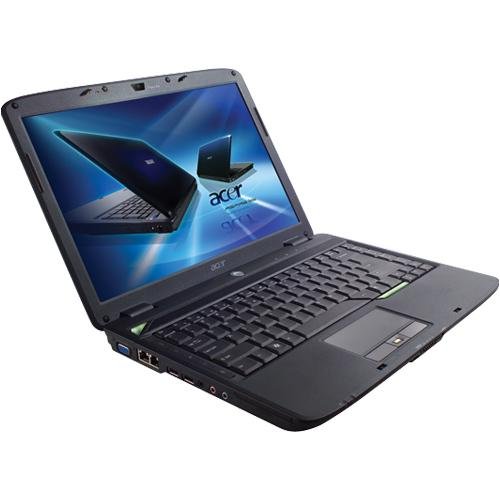
Acer Computer Aspire AS4530-5350 14.1" Notebook PC - Get more done and multitask with ease


Get more done and multitask with ease with the Acer Aspire AS4530-5350 Notebook featuring reliable AMD dual-core performance, 802.11b/g wireless connectivity and features to enjoy more of your digital media and get more done on-the-go. 2GB of memory for fast overall system response so you can power through your projects and multitask with ease and stream all your multimedia demands. This lightweight notebook with a 14" CrystalBrite display makes it easy to take your work and digital media anywhere. Watch DVD movies and burn CDs and DVDs of your documents, pictures and music with the Super Multi Double-Layer optical drive. 14.1 WXGA(1280 x 800) CrystalBrite TFT Display NVIDIA GeForce 9100M G Graphics DVD+-R/RW Drive with Double Layer Acer InviLink 802.11b/g Wireless 10/100 Base-T Ethernet LAN 5-in-1 Digital Media Card Reader - SD, MMC, MS, MS Pro, xD ExpressCard 54 Slot 3 x USB 2.0, Headphone out S/PDIF, Microphone-in, Line-in Jack, VGA, RJ-11 (Modem), RJ-45 Approximate Unit Dimensions - 13.35 (W) x 9.57 (D) x 1.54(H) Approximate Unit Weight - 5.29 Pounds


Product Features

* Box Contents - Acer AS4530-5350 Notebook, 6-Cell Lithium-ion Battery, AC Adapter, Power Cord; Software Bundle - Windows Vista Home Premium with Service Pack 1, Microsoft Works 8.5, Microsoft Office 2007 Home and Student Edition - 60-Day Trial, McAfee Internet Security Suite 60-Day Trial Version, 1-Year Limited Warranty
* AMD Athlon X2 QL-60 1.9 GHz Processor
* 1MB L2 Cache, 667MHz Bus speed
* 2048 MB DDR2 (PC2-5300) RAM
* 120 GB (5400RPM) SATA Drive

Processor, Memory, and Motherboard

* Hardware Platform: PC
* Processor: 1.9 GHz AMD Athlon 64 X2
* Number of Processors: 2
* RAM: 2000 MB
* RAM Type: DDR2 SDRAM

Hard Drive

* Size: 120 GB
* Type: Serial ATA

Warranty and Support

* Amazon.com Returns Policies: You may return any new computer purchased from Amazon.com that is "dead on arrival," arrives in damaged condition, or is still in unopened boxes, for a full refund within 30 days of purchase. Amazon.com reserves the right to test "dead on arrival" returns and impose a customer fee equal to 15 percent of the product sales price if the customer misrepresents the condition of the product. Any returned computer that is damaged through customer misuse, is missing parts, or is in unsellable condition due to customer tampering will result in the customer being charged a higher restocking fee based on the condition of the product. Amazon.com will not accept returns of any desktop or notebook computer more than 30 days after you receive the shipment. New, used, and refurbished products purchased from Marketplace vendors are subject to the returns policy of the individual vendor.

Acer Computer Aspire AS4530-5350 14.1" Notebook PC


Monday, October 20, 2008

Acer Aspire AS6920-6886 16" Laptop - incredible style, power, control, high-definition and sound


Explore the edges of mobile computing with an Aspire Gemstone Blue notebook from Acer. The Aspire 6920 series delivers incredible style, power, control, high-definition and sound.The unique style of the Gemstone Blue is expressed through a distinctive color, one that reflects the power, performance and control the Aspire 6920 series gives to everyone who uses it.Featuring Intel Centrino technology, the Gemstone Blue has power in abundance. At work the Intel Core 2 Duo processor allows you to do more with less effort, and at play it intensifies your digital entertainment experience.The Aspire 6920 series puts you in control. One of the most striking design elements is the touch-sensitive CineDash media console that responds instantly and keeps the entertainment flowing, just the way you like it.


Product Features

* Processor Type: Intel Centrino
* Hard Drive Capacity: 320GB 5400RPM SATA, Memory: 4096 MB DDR
* 8X DVD-Super Multi Double-Layer Blue Ray Drive
* Intel Graphics Media Accelerator X3100 (GMA) with up to 358 MB of Intel Dynamic Video Memory Technology 4.0
* Windows Vista Home Premium

Processor, Memory, and Motherboard

* Hardware Platform: PC
* Processor: 2 GHz
* System Bus Speed: 667

Hard Drive

* Manufacturer: Portable

Ports and Connectivity

* Modem: Fax / modem

Cases and Expandability

* Size (LWH): 14.3 inches, 17.1 inches, 6.3 inches
* Weight: 12 pounds

Power

* Rated Charge (normal use): 2.3 hours

Warranty and Support

* Amazon.com Returns Policies: You may return any new computer purchased from Amazon.com that is "dead on arrival," arrives in damaged condition, or is still in unopened boxes, for a full refund within 30 days of purchase. Amazon.com reserves the right to test "dead on arrival" returns and impose a customer fee equal to 15 percent of the product sales price if the customer misrepresents the condition of the product. Any returned computer that is damaged through customer misuse, is missing parts, or is in unsellable condition due to customer tampering will result in the customer being charged a higher restocking fee based on the condition of the product. Amazon.com will not accept returns of any desktop or notebook computer more than 30 days after you receive the shipment. New, used, and refurbished products purchased from Marketplace vendors are subject to the returns policy of the individual vendor.

Acer Aspire AS6920-6886 16" Laptop (Intel Centrino T5750 Processor, 4 GB RAM, 320 GB Hard Drive, Blu-Ray Drive, Vista Premium)


Acer Aspire 5315-2698 15.4-inch Laptop - ultra-affordable entertainment performance


The Aspire 5315 delivers ultra-affordable entertainment performance for students and home users. Combining the Intel Celeron processor, Intel graphics media accelerator, Intel high definition audio support, and Acer Arcade deluxe, this notebook possesses powerful multimedia potential. Versatile communication is also in the mix, with the Acer Video Conference solution for go-anywhere, face-to-face contact with friends.


Product Features

* Celeron 560 Processor
* 1GB (512/512) DDR2 667 SDRAM
* 120GB hard drive; integrated Super-Multi drive (DVD+R, DVD-R, DVD-RAM)
* Integrated webcam
* 15.4" WXGA (1280 x 800) TFT display, Acer® CrystalBrite Technology

Processor, Memory, and Motherboard

* Hardware Platform: PC
* Processor: 2.13 GHz
* System Bus Speed: 533

Hard Drive

* Manufacturer: Portable

Ports and Connectivity

* Modem: Fax / modem

Cases and Expandability

* Size (LWH): 15.5 inches, 13.2 inches, 5.5 inches
* Weight: 11 pounds

Power

* Rated Charge (normal use): 2 hours

Warranty and Support

* Amazon.com Returns Policies: You may return any new computer purchased from Amazon.com that is "dead on arrival," arrives in damaged condition, or is still in unopened boxes, for a full refund within 30 days of purchase. Amazon.com reserves the right to test "dead on arrival" returns and impose a customer fee equal to 15 percent of the product sales price if the customer misrepresents the condition of the product. Any returned computer that is damaged through customer misuse, is missing parts, or is in unsellable condition due to customer tampering will result in the customer being charged a higher restocking fee based on the condition of the product. Amazon.com will not accept returns of any desktop or notebook computer more than 30 days after you receive the shipment. New, used, and refurbished products purchased from Marketplace vendors are subject to the returns policy of the individual vendor.

Acer Aspire 5315-2698 15.4-inch Laptop (Intel Celeron 560 Processor, 1 GB RAM, 120 GB Hard Drive, Integrated Super-Multi Drive, Vista Premium)


Sunday, September 21, 2008

Toshiba New Laptop - Toshiba Qosmio G303012e

Sneak Peek

The Toshiba Qosmio range, you will maintain 24x7. After many, Qosmio means "my personal universe." Toshiba Qosmio G303012E is definitely to your personal universe, and you will definitely become addicted to it the whole time.


Design

The slim design is taking into account today's trendy customers who settle for nothing less than the best. It is compact laptop and it will not cause you any problems with it wherever you want. It weighs about 4.3 kilograms. Toshiba Qosmio laptop G303012E width dimensions are 406 mm, 285 mm depth. the height measures approximately 43.1 mm.

Key Features

Toshiba Qosmio G303012E is basically designed to provide you with healthy entertainment forever! It multimedia.Toshiba scores on G303012E Qosmio laptop is powered by Intel Core2Duo T7200, with processor speeds of 2000MHz and built-disk capacity of 200 GB. Li-Lon ensures that G303012E Toshiba Qosmio laptop gets one of the best power. The display is a 17 inches tall with a maximum resolution of 1920x 1200 dpi. It also has Ultimate TruBrite display. The 17-inch screen is really wide enough to play exciting games and watch unlimited movies! So now there is no need to go to cinema halls. Get the same cinematic experience with G303012E Toshiba Qosmio laptop at home yourself!

Toshiba Qosmio G303012E laptop has speaker, microphone and a soundcard. Thanks to an integrated DVD-Rewritable Drive, a stunning and immersive surround sound with Sound Blaster Pro sound card and make the world can be your theater.

Core Information

The operating system of the Toshiba Qosmio laptop G303012E is Windows XP Media Center. Apart from this Toshiba Qosmio G303012E laptop has PCMCIA slot, S-Video port, 4 USB ports, FireWire port, built-in Bluetooth adapter and 5-in-1 Digital Media Reader.

With 4 USB ports is one of the highlights of the Toshiba laptops. Actually, people are not aware of the many advantages of a USB port. You do not need a card adapter for a new device to your laptop or computer. Simply plug it into the USB port and your job is done.

USB ports are also much faster compared to other serial ports. Also, the data transfer is completed in slower serial ports. Thanks to USB ports to plug in and plug in your equipment is also very smoothly and safely even when the computer is turned on. Even the biggest advantage is that your device by dragging them to USB ports. The installation of software or other equipment is very simple via USB ports.

Bluetooth gives you the power to transfer data wirelessly. The touchpad mouse makes it extremely easy for you to go through the various programs on the screen.

Conclusion

Just as PC Magazine, says the versatile Qosmio: "(It is) the best multimedia laptop we have seen, especially when it comes to the integration of AV functions. No other system comes close."


Tips for Choosing Laptops - What Laptop Do You Need?


Your choice of the laptop will meet your needs. If you need a laptop with you wherever you are, then a small, lightweight model like the ultra-portable would probably be your choice - especially if you fly a lot. While these tiny models surely will not weigh you down, you must forgo the extras, such as fast hard drive, internal optical drive and extra ports. The battery will run for 2-4 hours depending on your technology. And remember that a small size certainly does not mean a suitable price.

These laptops called thin-and-light are what most students use. At 14-15 cm, their screens are larger than the ultra portables and the keyboard is user-friendly. If you need a laptop with you wherever you are, then a small, lightweight model like the ultra-portable would probably be your choice - especially if you fly a lot. While these tiny models surely will not weigh you down, you must forgo the extras, such as fast hard drive, internal optical drive and extra ports. The battery will run for 2-4 hours depending on your technology. And remember that a small size certainly does not mean a suitable price. The MacBook Air is a typical example of the thin-and light-style laptop, even if it's not as many opportunities as some others.

The mainstream laptop offers some portability, if you do not want to lug it around too much. Nevertheless, these are particularly suitable for everyday use with its larger screen and keyboard. You could almost as a budget desktop, but without the speed or features. For speed, functions and performance for desktop replacement with its three hours of battery and six kilos of weight. But only if you do not need to make it anywhere.


Thursday, September 18, 2008

Acer Laptops.....Acer Laptops.....Acer Laptops: a Blend of Comfort and Efficiency


Technology has been developed and gradually change has been a constant phenomenon. From cars, TV, phone on all computers has been amended to properly meet the needs of the customers.
In addition Gone are the times in which bulky computers were used to conduct various operations. Reinvented technicians This powerful device and gradually shrunk the massive machine in an elegant, streamlined and user-friendly. The size of this device called laptop has been reduced and the speed and performance has been increased. Laptops completely changed the scenario and it was a pleasant transformation. The notebook has several advantages over conventional computers. The laptop offers flexibility, portability and is also space-conscious. The modern laptop computers have revolutionized the entire work process. One of the newest laptops Acer laptops offer the mobility and efficiency in the work environment. Acer laptops are used in advanced technological features.


Acer laptops were initially bulky and efficient, but gradually they began to reduce weight and was slim and attractive. The laptops were taking into account the latest developments in technology for security and entertainment. The performance and design has constantly improved, while the battery storage capacity and screen has been updated. This intelligent laptops have their presence felt, and whether it is the Acer Ferrari and the Acer Aspire, Acer laptops are widely used in various parts of the world. In addition, you can also good business in notebooks from Acer. But before any agreement between the user should be aware of its specific requirements and select an Acer laptop with the desired functions. Many of these laptops for games. As they have large screens and the processor speed is also quite high which enables the user to enjoy various formats of the game. One of the attractive features is a stable memory and a graphics card.

In addition, the Acer Superior Audio-visual laptops have a decent record sales world-wide and will only get better with each technological improvements.


The growth in the laptop market and competition has helped improve the availability of cheap laptops. The contemporary cheap laptops an incredible solutions when it comes to high-quality image resolution, viewing angle and contrast ratio. Many of the latest laptops are a high number of points in relation to high customer satisfaction and catering to the needs of their users


Friday, September 12, 2008

Dell, Dell, Dell.....Dell Inspiron 6400- fashionable laptop computer With complete valuable Technologies

Sneak Peek

Dell Inspiron 6400 (Core Duo T2450) laptop computer is familiar for its precision and great power for multi tasking. Today whenever you're on the move, Dell Inspiron 6400 (Core Duo T2450) laptop computer will be with you always. It's four USB ports. Commonly all the laptop computer* have two USB ports.


Design

The design of Dell Inspiron 6400 (Core Duo T2450) laptop computer is rather professional with a solid and hardy physical structure. The buttons are feather touch and there's plenty space to rest your wrists on the laptop, when you typewrite. DVD drive and USB ports are on the sides of Dell Inspiron 6400 (Core Duo T2450) laptop. It weighs approximately 2.8 kilogram. It's very easy to carry around. Please note that the weight mentioned is excluding media card and electric battery. Dell Inspiron 6400 (Core Duo T2450) laptop is 38.7 millimeter tall and it is depth is 265.5 millimeter. It measures 357 millimeter in width.

Design

The design of Dell Inspiron 6400 (Core Duo T2450) laptop computer is simple and luxury. It weighs twenty-eight kg. Thus you are able to make out that it real movable to carry around.

Key Features

The built-in disk drive capability of Dell Inspiron 6400 is 80 gigabyte. This laptop computer is best accommodated for home use. The RAM speed is 1024 megabyte. But you are able to upgrade it to 2048 megabyte. Upgrading the RAM will assist your computer to work quicker.

You as well get the choice of DVD writer in Dell Inspiron 6400 (Core Duo T2450) laptop. This is a big add-on to this laptop.

Core Information

The screen size of Dell Inspiron 6400 (Core Duo T2450) laptop is 15.4 inches. You are able to enjoy the wideness of the screen by opening multiple windows simultaneously. The upper limit resolution is 1280 x 800 mega pixels. Dell Inspiron 6400 (Core Duo T2450) laptop too includes 4 USB ports and 1 Bluetooth connection. Dell Inspiron 6400 (Core Duo T2450) laptop accepts touchpad mouse which is highly smooth.

Conclusion

Dell Inspiron 6400 (Core Duo T2450) laptop is an extremely smart and a valuable laptop computer.


Do You Want to Know? Know Your notebook computer Inside Out

Notebook or laptop, as it is called, is fast gaining popularity among people of all age groups because of its easy portability option, very user-friendly interface, small, smart and smooth look, ergonomic keyboard and advanced features in comparison to desktop computers.

Many might not know that notebooks consume less power and generates less heat and less noise than desktop PCs. One can easily a variety of tasks from sending e-mails, listen to music, the recordings to other major business operations in a compact notebook PC. The affordable price as a catalyst for more and more people opt for the purchase of notebooks. Various types of notebooks are available, such as extremely portable, all-purpose, media center, cheap or even notebook gaming notebook. Depending on one's need, you can choose a notebook.

A general curiosity might arise in a common user `s opinion about the components of what a notebook. For starters, a notebook is a compact model, and instead of a big case for air circulation, a notebook uses a miniature, flat design in which all the components fit together easily. The notebook screen is an integrated unit built, and so is its keyboard.

As a notebook all the components are in a compact space for cooling components, so that an optimal performance, the processors are directly on the motherboard, without the use of socket. To reduce the heat, some notebooks and desktop CPUs are usually a lower voltage and clock frequency, although it reduces the battery life considerably. Notebooks are equipped with young fans, heat-spreaders, heat pipes or heat sinks and the situation of the CPU near the edge helps to dissipate the heat from the CPU. Some expensive models have liquid coolant channels along the Heat-pipe system to reduce heat.

Memory types in notebooks can be used four types, namely: Single Data Rate Synchronous RAM (SDRAM), Dual Data Rate Synchronous RAM (DDR SDRAM), Small Outline Dual Inline Memory Modules (SODIMM), proprietary memory modules

The memory of notebook, the performance in conjunction with slower processors. Some notebooks have cache near the CPU capacity so that the data can be accessed faster, while some bigger buses to the data quickly between processors and motherboards.

The internal hard drive of the notebook saves the operating system and data files. Many notebooks enable a variety of drives to fit in the same bay by using the modular construction. These drives are three types like; cold swap mode when the notebook must be switched off during the swap or hot-swap mode in which the notebook can stay while the exchange-drive or the hot-swap method in which the Bus (the path the drive used to transfer data to the CPU) must be inactive, while the notebook can stay during the trip changed.

Unlike some desktops, notebooks, for his graphics on a Liquid Crystal Display (LCD) screen and the screens measuring 12 to 17 inches. Most notebooks have smaller graphics cards with a graphics Power Unit (GPU), designed specifically for them and memory is between CPU and the GPU.

Notebooks have sound cards and small, built-in speaker, the sound quality. However, external sound controller can be used to address the need for gaming enthusiasts.

Batteries in notebooks can be of nickel-cadmium (NiCd), nickel-metal hydride (NiMH) batteries or the latest Lilon type of batteries are bright and have long life. Lilon batteries can be used for 5 hours of about 950 to 1200 charges.

The main components of a notebook, the processor, memory, hard drive, operating system, graphics card and display units. Mind it! While these lists of characteristics, it is very important to know the fact that their notebook PC can not be easily improved as desktop computers. Therefore you have to choose a notebook with power-packed features.

Monday, September 8, 2008

A Style Statement in Itself: Lenovo Laptop

Lenovo Laptops are fitted with the latest accessories. This makes the device one of the finest gadgets for executing a number of jobs. These laptops are known for the flexibility and feature-rich capabilities. Their efficiency helps to increase the productivity of organisations. People can also utilise these gadgets for completing personal assignments.


Laptops of Lenovo have astounding features such as Intel core Duo Processor, Intel 945 GM chipset, 120 GB HDD, DVD writer, 1 GB SD RAM and many more such good features. These configurations can also be altered based on the needs of customers. The price range of these laptops varies and depends on the configuration that one selects.


Lenovo offers the finest grade of laptops that one would like to avail. The handsets are known to have the latest innovations in technology. These laptops can be easily connected to internet and loads of files can be downloaded. They can also be used for entertainment purposes. One can listen to music and the laptop supports latest games too. The laptop is available at some latest deals. The users can simply bring the laptops and avail the marvelous deals that accompany them. The devices are also designated as Cheap Lenovo laptops for the incredible price that they offer. The order for these gadgets can be placed at online sites. After the placement of an order the laptops are instantly delivered at one's home.


Lenovo Laptops are compact and can be carried with ease at any place. The handset is known for its sleek design and lovely finishing. These handsets can be used for professional reasons too. The laptop is being used by students to meet their academic needs. Professionals too find it a very convenient mean to meet their end. The Laptops can be used for business requirements and people can establish their business with the aid of these laptops.


The support offered by the battery of the laptop allows people to use it for a long duration of time. The device can remain connected to the internet by means of options such as Bluetooth or modems. The users can carry it along with them and remain connected over internet even while travelling.


New Trend: Emerging Trends in Computer Keyboards

While computers have come a long way in design, appeal and functions their input devices like the keyboards have also evolved. The most popularly used design is the QWERTY layout for most computer keyboards. The name is derived from the left-hand side top six alphabets arrangement. Computer keyboards usually have 104 keys but with advancements more keys are added as shortcuts, multimedia keys or gaming keys etc. Keyboards also come in different languages besides English such as, Hebrew or Latin.

Keyboards have an array of functions to perform besides just typing. The keyboard also performs the commands function. Various combinations of keys are used to give special commands to the computer. Like the Windows+D combination minimizes all the application and shows the desktop. The Alt+Tab combination lets you navigate between the running applications. The keyboard is also used extensively for gaming purpose.

The four arrow keys are usually used as motion controls for most games. Games also have combination of keys to boost special powers in the game. These are usually difficult to combine hence there are special gaming keyboards like the Logitech gaming keyboards, which has a set of keys which you can dedicate for varied set of key combinations. This will ease your gaming and also allow handling of frequently used commands effortlessly.

Most popular keyboards are not quite flexible but there are flexible ones available which can be folded or rolled up and are made of silicon. There are also laser-operated keyboards which can be used in any surface and are extremely portable to carry.

The latest keyboards flaunt various multimedia keys for the often-used applications. These multimedia keys are of media player, web browser, mute, e-mail client, volume control and much more. Many keyboards also have the popular USB ports for quick access to your flash drive. With these additions the cost of the keyboard soars, but they are a good one-time investment for simplifying your functions.

The wired ones are the most popularly used but the wireless keyboards are also gaining acceptance. The wireless ones run on infrared or Bluetooth technology but they need to have set of batteries for functioning. There are many unique options available in the market, like the LED flash keyboards which can be used in the dark; there are gaming keyboards and application centric keyboards so on.

You can buy computer Keyboards online through popular online shopping based websites. You can get the Computer Keyboards at good deals and can also find low price computer keyboards if you are on budget.


News From Amazon.com: Amazon to Sell OLPC XO Laptops From November

Amazon.com will start selling One Laptop Per Child's low-cost XO notebook computer as part of the Give One, Get One program OLPC developed last year, according to an official from OLPC.

The non-profit organization started Give One, Get One as a way to raise money to send laptops to school kids in poor countries. The idea is that a person pays for two of the XO laptops developed by OLPC. One is sent to the buyer, and another is donated to a child in a developing country.

This year, OLPC opted to team up with a Web e-tailer instead of running the program itself, said Matt Keller, director of Europe, Middle East and Africa at OLPC, in an interview Wednesday.

Amazon.com will start selling XO laptops under the Give One, Get One program in late November, around the time of Thanksgiving in the U.S. Sales will likely extend through to around the end of December.

"We're a small group of people," said Keller, explaining the rationale for working with Amazon.com.

OLPC is run by a small group of people, he said. There are a few thousand volunteers that help out with software development and other projects, but the core group itself is just 25 people.

more........


Next In Future: Next-Gen XO Laptop Due in 2010

The second-generation XO laptop from the One Laptop Per Child (OLPC) project, which features two touchscreens and was announced in May, will become available in the first quarter of 2010.


That's the prediction from Matt Keller, OLPC's director of Europe, Middle East and Africa, who said the group has high hopes for the XO-2's e-book capabilities, which he believes will make reading easier for schoolchildren in emerging economies.

"The e-book reader is the most popular function of the laptop," said Keller.

The laptop is nearly half the size of current XO laptop and consists of two touchscreen displays. The XO-2 doesn't include a keyboard, but instead will feature a software-based touch-sensitive keyboard.

The XO currently costs around $204 (£102) to make, said Keller, while the XO-2 will likely cost around $80 (£40). OLPC's still hopes to reach a price of $75 per laptop for educational buyers.

more.........


Thursday, September 4, 2008

Acer TravelMate 8100 - easy and fun to do almost anything--except watch DVDs.

Wider screen. Sleeker case. Easier upgrades. The Acer TravelMate 8100 offers several advantages over its predecessor, last year's impressive TravelMate 8000, which the company is still selling. The 8100 weighs about the same--6.4 pounds including an integrated DVD burner--yet boasts an impressively large 15.4-inch wide-aspect screen for working on documents side by side more easily. (The native 1680-by-1050-pixel resolution renders screen elements slightly small but crisp and perfectly readable.)

The unit slopes to a slim 1.3 inches in front, and the lower case is slightly deeper than the closed screen to protect it from bumps and to leave exposed the front ports. Those connections include microphone and headphone jacks in addition to a five-in-one card reader and handy Bluetooth and Wi-Fi buttons that both control wireless communications and serve as glowing status indicators. Three of the four USB 2.0 ports now sit on the right side of the case instead of the left, a welcome change for right-handed folks like me.

The 8100 is fully user upgradable: You can access both RAM slots, and although the hard drive does not slide out of the side (as it does on the 8000), it's still easy to reach in a compartment on the bottom. Also, the 8100's battery pops off the rear, not out of a bottom bay--another small improvement.

The 8100 isn't superior to the 8000 in every way: For example, its battery life was actually slightly lower than that of its older sibling: The 8100 lasted a little over 4 hours on one charge in our tests, about a half hour shorter than the TravelMate 8000 we tested last year. Still, that's well above average.

On our test bench, the 8100 performed well, doing better than its sibling. It pulled down a WorldBench 5 score of 94 (compared with the 8000's score of 89), about what I would expect from a 2-GHz Pentium M 760-equipped laptop loaded with 1GB of RAM. (A Toshiba Portégé S100 with the same processor but only half the RAM earned a score of 83.)

Although Acer advertises the 8100 as its mainstream laptop, it's loaded, with a capital L. It has a removable right-side double-layer DVD burner that swaps out for a second hard drive or a second battery, it has a FireWire port, and it offers three ways to connect an external monitor (via VGA, S-Video, and DVI-D). Those who prefer key cards to fingerprint readers for thwarting break-ins at the BIOS, password, and file levels will appreciate the 8100's smart card slot, stacked atop a standard PC Card slot on the left side of the case. You get two cards with your purchase, including one that can be set up as a one-time-use emergency card. (After that, you have to return the laptop to a dealer for resetting, which is one reason I slightly favor a biometric security solution.)

The TravelMate's ergonomic keyboard curves 5 degrees upward on the ends so you end up positioning your elbows in a way that experts say helps prevent carpal tunnel syndrome. It's an acquired taste. Besides that, I like everything else about the keyboard, including its short, hard 2.7-millimeter key depression (rather than the standard 3mm) and handy set of four user-programmable shortcut buttons.

Acer includes some nice software extras. For instance, the proprietary power management utility makes it extremely easy to specify customized power schemes, including whether the FireWire port and wireless scanning are enabled. Acer's GridVista, based on Dritek System's utility for dragging and dropping applications into preset windows on the extrawide screen, looked worthwhile, but I couldn't get it to work on our unit.

The only area in which the 8100 stumbles is entertainment. Letterboxed DVD movies looked fine on the wide-aspect screen, but sound from the front-mounted stereo speakers was too faint. Hardware volume control is limited to annoying combination keystrokes. Looking up information in the user manuals could be simpler, too. The Acrobat manual preinstalled on the hard drive is more detailed than the basic printed manual, but it has no index. At first, I thought that it also lacked a contents page, but that page simply turned out not to be bookmarked.

Upshot: Except for slightly shorter battery life, the TravelMate 8100 is a better machine than the 8000, which translates into sleek, powerful, well-equipped portable computing for a commensurate $2299.

more............


Dell Inspiron Mini 9 Mini-Notebook - Dell's first mini-notebook is a solid system at a solid price.

At first glance, the Inspiron Mini 9, Dell's entry into the mini-notebook category, looks like what you might get if you left a notebook from Dell's full-size Studio line of laptops in the dryer too long. But the sub-$500 Mini 9 carries a 1.6-GHz Intel Atom CPU, 1GB of RAM, and a solid-state drive, making it a good starter machine for basic computing at a reasonable price.

Our test configuration, priced at $474, included Windows XP Home and an 8GB solid-state drive; a 4GB version of the Mini 9 ships with Linux Ubuntu 8.04. The 8GB drive doesn't leave you much open space once the operating system and the preinstalled software (which includes Microsoft Works) are accommodated. For $40 more, you can upgrade to a 16GB drive, but then you've crossed the magic $500 threshold. One feature that is missing here--but is present in the Acer Aspire One--is an additional SD slot to allow users to insert a second SD Card, format it, and use it as another hard disk.

Working without two SD Card slots, we found that our WorldBench 6 test suite required more space than the Inspiron Mini 9's drive could spare. Since we couldn't run our benchmark tests on the Mini 9, we can't directly compare its performance with that of competing mini-notebooks like the MSI Wind NB U100. We do know that the Mini 9 loads Windows in about 30 seconds and fires up Microsoft Works in 8 seconds. Also, it can copy more than an album's worth of music (77MB) in about 7 seconds. In short, it falls in line with what we've seen from other mini-notebooks packing an Atom processor, 1GB of RAM, and Windows. We'll update this review when we obtain more-precise performance results.

The Mini 9 performed well in our battery life tests. Its four-cell battery ran for about 3 hours, 34 minutes--far better the three-cell battery of the MSI Wind, which lasted just 2 hours, 24 minutes.

As its name suggests, the Inspiron Mini 9 is tiny. It measures 1.07 by 9.13 by 6.77 inches--barely enough room to accommodate the 8.9-inch screen--and weighs about 2.28 pounds.

The glossy 1024-by-600-resolution display looks reasonably sharp and reproduces color extremely well. Unfortunately, if you don't view it from precisely the right angle, the screen looks a little dim. You can adjust the angle, but you may still find yourself contorting into ergonomic stress positions in order to get an optimal view.

more..............


Wednesday, September 3, 2008

What is Computer Memory?

Do you know what your computer's memory, or someone hear?
Now, let me tell you the answer, I would like it can help you to learn more about your computer.


The most commonly known form of computer RAM. Even schoolchildren know this first, that for Random Access Memory. This is a volatile form of memory. Translated into layman terms, volatile simply means temporary. It is not a long-term memory and would best be compared to our own short-term memory skills. The information is available and is supported by our memory, if necessary, but away when it is no longer needed for the computer access to a particular warrant by its users.

Memory is sometimes referred to as dynamic, because they can change and changed. Non-volatile forms of which are sometimes referred to as static memory. It can be stored and is stable. The memory of a computer in that capacity indicates that it is not temporary in nature. A computer has both forms of memory as the short-and long-term memories. In essence, the computers and their memory are designed in a way that is reminiscent of the human brain.

What we do not forget about computers is that it is also important to know that there are different types of memory, both volatile and non-volatile forms of it. Other types of computer memory: RAM (both dynamic and static), ROM, cache, Flash, virtual, video and BIOS. There are also memory sticks. Each type of memory has specific purposes and functions and not all computers have all forms of memory. This makes each computer's performance unique, as our brains are what makes us unique.

It is also important to recognize that computer memory is not limited to desktops and laptops. The different types we connect with computers commonly found in many of the electronics we use every day. Not all species are in all electronic devices, but the individual types are in them just the same. Some of these electronics are mobile phones, PDAs (Personal Data Assistants) and radios. Even televisions and video recorders use computer memory.

The most commonly known electronic device, the computer memory for children is the game consoles in today's popular systems. While the adults play this fascinating entertainment outlets as well as children and young people they know best. What most children do not know is that the game "remembers" its endpoint from a previous session of the game because of the capacity of its memory. Without memory, the game console would not even remember what game to play!

Computer memory is the capacity of a computerized device to remember, or run an application that makes it the way we expect it works, if we turn it on. It is unlike electricity, because this is a current that, in fact, simplistic, wakes up the electronics, computer equipment we use. Computer memory makes the devices we use to life-or as close to life as technology can get.


Tuesday, September 2, 2008

Laptops: Getting Digital

Laptops are increasingly important on a personal computer. The laptops offer advanced features such as high flexibility, affordability, reliability and portability. In addition to all these benefits, a PC laptop can be performed at any place without distance tensions. Although it offers a higher degree of flexibility than any other computing device. With this device, the user can stay in connection with his work, important mails and applications, including on the road or in motion.

With fierce competition in the market, the laptops, users at affordable costs. On the market there are several types of laptops such as the media center, all-purpose, gaming, home, business, cheap or ultra-portable notebooks. Depending on the needs and requirement, you can easily select the best for themselves from a wide range of laptops.

The low-priced or cheap laptops are suitable for people with comparatively low budget or the people who prefer their laptops suffer as a substitute for the repair. These low-cost or low cost laptops are good option for students or beginners, are either new in this domain, or do not want you caught in something associated with high-end computing.

A potential users of PCs and laptops consider several other factors as the cost, before the conclusion of an agreement. Some of the important factors considered processor, operating system, flash memory, hard disk, graphics card, screen display, power, warranty and customer service center. During the preparation of the list of features that users must know that laptop computers are not so easily improved as any other desktop computer. A complete and detailed survey of traditional and online marketplace help to ensure the adequate treatment, as the "best bargain". The latest best-selling laptops in India are from the top companies such as Toshiba, Sony, Dell, HP, Lenova and Intel.

Toshiba is the largest manufacturer of laptops. It is based on years of experience in the manufacture of innovative stylish laptops with advanced technologies. From the entry-level desktop Satellite Pro and the advanced portable Tecra and Qosmio series to the super Portégé, Toshiba has a laptop to every requirement.


Design by Free WordPress Themes | Bloggerized by Lasantha - Premium Blogger Themes | Sweet Tomatoes Printable Coupons