4:15 PM
 ari sari

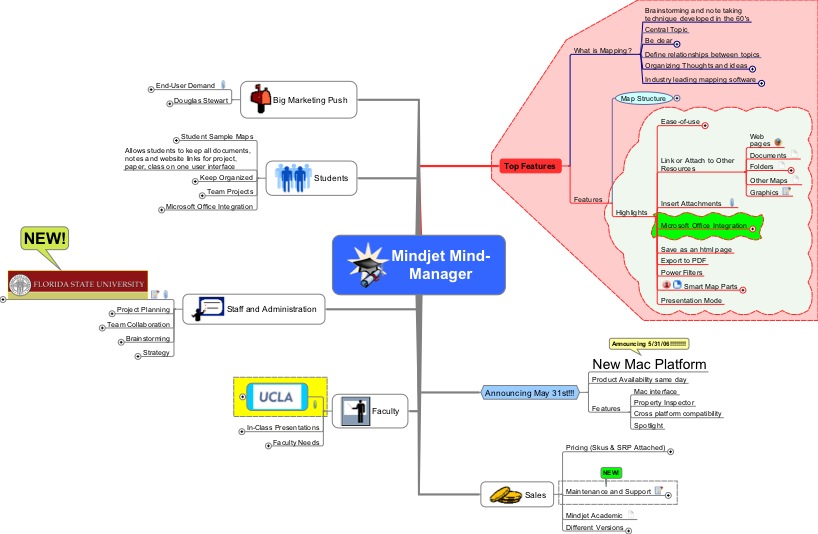
I have been using MindView 4 Business Edition since it was released but haven't had the chance to use the Presentation Mode until yesterday. While planning my workshop and presentation for a Tech Day at a local school, I decided to plan out what I would cover in MindView 4 so that I could test out the new Presentation Mode. When planning my workshops, I tend to like to use mind maps to brainstorm and decide upon what I will cover. I tend to use Left/Right maps when planning my sessions since I think it is easier for my participants who are not as familiar with mind mapping to digest the content. I provided each participant with a printed mind map with the content so that they could take notes and then used the Presentation Mode in MindView 4 during the workshop.
Using the Presentation Mode in MindView 4 could not have been any easier- I simply clicked on the Presentation Mode and within seconds the presentation palette showed up that let me advance from topic to topic. MindView 4 opened each topic and subtopic as it advanced and then would close the topic as it advanced to the next one. I found it very easy to use while I was presenting and I believe it helped the participants to focus in on what I would be covering during the session. I put together a short screencast to show you how easy it was to use the Presentation Mode in MindView 4. Please feel free to download a Free Trial Version of MindView 4 and try the Presentation Mode for yourself.
PS: You will also be glad to know that you can advance through the topics by using a wireless presenter remote.
 Posted in: